Check out our White Paper Series!
A complete library of helpful advice and survival guides for every aspect of system monitoring and control.
1-800-693-0351
Have a specific question? Ask our team of expert engineers and get a specific answer!
Sign up for the next DPS Factory Training!
Whether you're new to our equipment or you've used it for years, DPS factory training is the best way to get more from your monitoring.
Reserve Your Seat TodayServer rooms and data centers produce serious heat loads from densely packed equipment running around the clock. When cooling systems fail or operate at reduced capacity, temperatures can spike within minutes. DPS Telecom RTUs and environmental sensors give you continuous, real-time visibility into temperature conditions across every zone in your facility, so you can respond before heat damages equipment or forces an unplanned shutdown.
Talk to an Engineer 800-693-0351
Founded 1986 | 172,800+ devices deployed | ISO 9001 certified | Made in Fresno, CA | 1,500+ organizations served
Most server and networking equipment is rated to operate within a specific temperature range. Push past that range and you risk throttled performance, unexpected shutdowns, and permanent hardware damage. The challenge is that data center cooling is complex, and failures don't always announce themselves with an obvious alarm from the HVAC unit itself.
Silent HVAC Degradation Cooling equipment can lose capacity gradually due to clogged filters, refrigerant loss, or failing compressors, allowing temperatures to climb slowly over hours before anyone notices. Dedicated HVAC monitoring catches these failures at the source.
Hot Spots Between Racks Uneven airflow creates localized heat pockets that may not trigger a room-level thermostat but still threaten the servers directly in that zone.
After-Hours Temperature Spikes Most overheating incidents happen outside business hours, when staff are away and HVAC loads shift. Without automated environmental alerting, the damage may be done before anyone arrives the next morning.
Humidity Swings and Condensation Rapid temperature changes can push humidity outside safe ranges, leading to condensation that shorts circuit boards or accelerates corrosion on connectors.
DPS Telecom deploys compact RTUs with connected temperature and environmental sensors at strategic points throughout your data center: intake and exhaust sides of server racks, near HVAC supply vents, and in underfloor plenums. When a reading crosses a threshold you define, the RTU sends an alarm to your operations team via email, SMS, or your T/Mon alarm master's web interface. For multi-room or multi-site operations, T/Mon LNX aggregates all environmental data into one centralized view with geographic map displays and automated escalation rules.
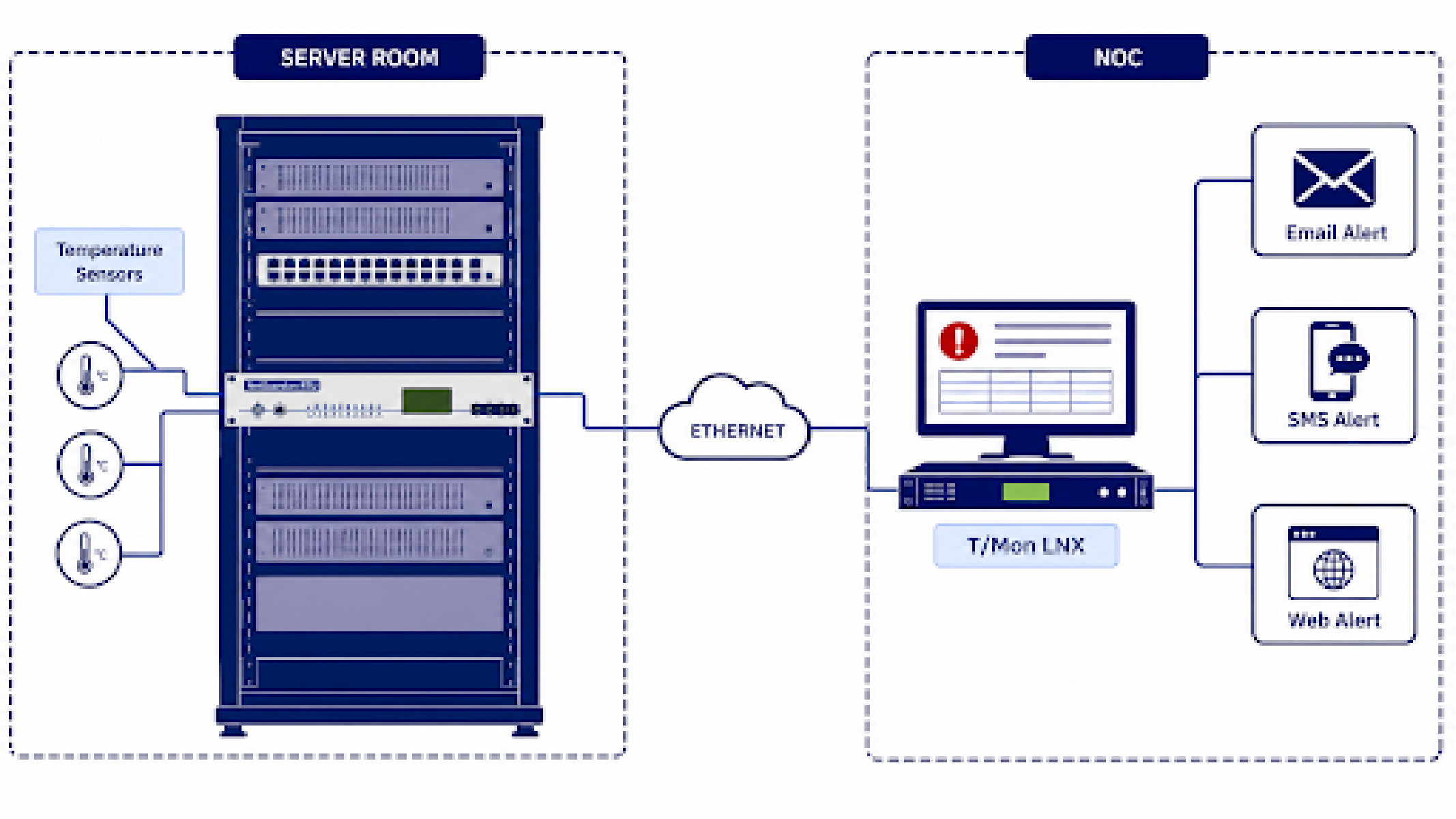
Each capability below applies specifically to data center and server room environments, where a well-configured temperature monitoring system can mean the difference between a minor alert and a major outage.
| Configurable Temperature Thresholds | Set independent high and low alarm thresholds for each sensor. Different zones in your data center can have different limits based on equipment sensitivity and cooling design. |
| Multi-Sensor Zone Coverage | Place sensors at hot aisle, cold aisle, rack top, underfloor, and HVAC discharge locations to catch localized issues that a single room-level thermostat would miss. |
| Humidity and Airflow Tracking | Pair temperature sensors with humidity and airflow sensors on the same RTU to detect HVAC performance degradation before it becomes a temperature problem. |
| Real-Time Alerts via Email, SMS, and Web | Receive immediate notifications when conditions go out of range. Alerts include sensor location, current reading, and threshold value so your team knows exactly where to look. |
| Analog Trending and Historical Logging | Track temperature trends over time to identify gradual cooling shifts. Historical data helps you plan capacity additions and justify HVAC maintenance or upgrades. |
| SNMP Integration With Existing Tools | Every NetGuardian RTU supports SNMP v1/v2/v3, so temperature data can feed directly into your existing network management platform alongside your other IT monitoring. |
The products below cover the most common data center monitoring deployments, from single server closets to multi-room facilities. Each can be configured to match your specific layout.
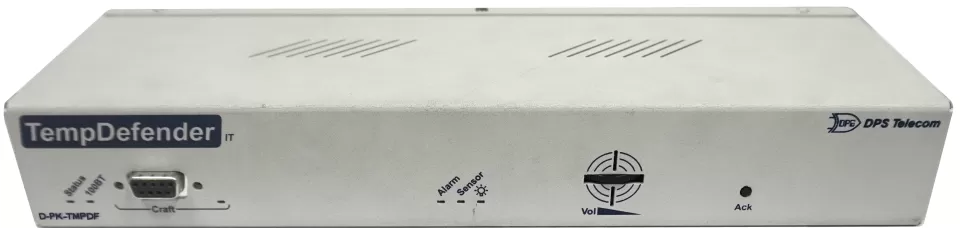
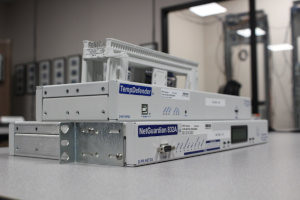
TempDefender IT
Purpose-built for IT environments, the TempDefender IT provides temperature and environmental monitoring in a compact form factor designed for server room racks and equipment cabinets.

NetGuardian 832A
The NetGuardian 832A handles temperature monitoring alongside power, security, and equipment alarms in larger data center environments where a single RTU needs to cover the full facility.
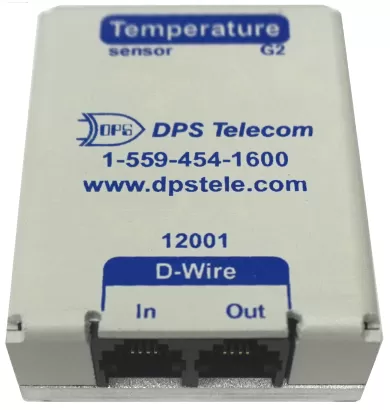
D-Wire Temperature Sensors
DPS Telecom's D-Wire sensors connect directly to NetGuardian and TempDefender RTUs using industry-standard interfaces, providing precision temperature readings at each monitoring point.
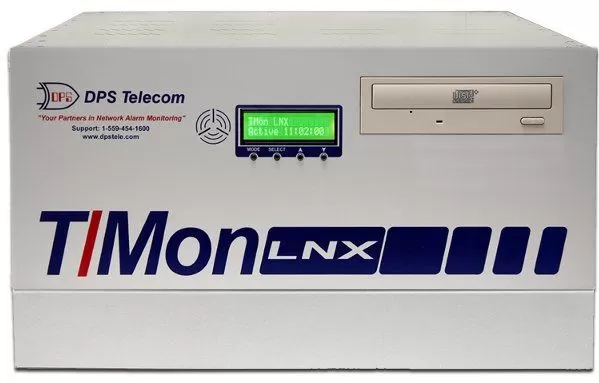
T/Mon LNX
When you manage multiple server rooms or data center locations, T/Mon LNX aggregates all temperature alarms into a single centralized platform with map-based views and automated notification escalation.
DPS equipment integrates with the monitoring tools and network management platforms you already use. Our RTUs report via SNMP v1/v2/v3 to any standard SNMP manager, and our multiprotocol alarm master, T/Mon LNX, can aggregate data from equipment using SNMP, Modbus, DNP3, TL1, and other protocols. If your data center includes older gear with proprietary alarm outputs, our RTUs can mediate those signals into a standard format your management system can read.
| Colocation and Cloud Providers | Multi-tenant facilities where a single overheating event can affect multiple clients and trigger SLA penalties. Continuous per-zone monitoring is a baseline requirement. |
| Telecom Carriers and ISPs | Central offices and head-end facilities housing routing, switching, and transmission equipment that requires stable temperatures to maintain network uptime. |
| Financial Services | Trading platforms, payment processing systems, and banking infrastructure where even brief thermal-related outages can result in significant financial losses. |
| Healthcare | Hospital data centers running electronic health record (EHR) systems, medical imaging platforms, and patient monitoring applications where downtime can affect patient care. |
| Government and Public Safety | Secure server facilities supporting emergency dispatch, law enforcement databases, and classified communication networks with strict uptime requirements. |
| Custom Engineering for Your Layout | We routinely modify RTU configurations to fit specific rack dimensions, sensor placement requirements, and I/O needs. No Non-Recurring Engineering (NRE) fees for qualifying orders, and custom builds typically ship within 90 days. |
| Free Lifetime Tech Support | Every purchase includes ongoing technical support from our engineering team in Fresno, CA. No hold queues, no script readers. When you call, you talk to an engineer who knows the product. |
| 30-Day Loaner, 2-Year Warranty, Money-Back Guarantee | Try our equipment in your environment for 30 days before committing. Every unit ships with a 2-year hardware warranty and a full money-back guarantee. |
| **Made in Fresno, California | ISO 9001** |
The American Society of Heating, Refrigerating and Air-Conditioning Engineers (ASHRAE) recommends server inlet temperatures between 64°F and 80.6°F (18°C to 27°C) for most IT equipment. DPS sensors can be configured to alert at whatever thresholds match your specific environment and equipment ratings.
A common approach is to place at least one sensor at the top of each rack, where heat rises and accumulates. For high-density racks, adding sensors at the middle and bottom provides more granular visibility. Most DPS deployments use fewer than 10 sensors per room.
Yes. All NetGuardian RTUs support SNMP v1, v2, and v3, so they report temperature data and alarms directly to any standard SNMP management platform you already run.
NetGuardian RTUs can be powered through your data center's UPS-backed circuits. If the RTU does lose communication, T/Mon LNX flags the loss-of-contact as its own alarm, so your team still knows something is wrong at that location.
RTUs process sensor readings continuously and send alarms within seconds of a threshold being crossed. Email and SMS notifications typically arrive within a minute of the alarm event.
Whether you manage a single server closet or a multi-room data center, DPS Telecom can configure a monitoring solution for your specific layout. Try our equipment risk-free with a 30-day loaner, backed by a 2-year warranty, money-back guarantee, and free lifetime tech support.