
Check out our White Paper Series!
A complete library of helpful advice and survival guides for every aspect of system monitoring and control.
1-800-693-0351
Have a specific question? Ask our team of expert engineers and get a specific answer!
Sign up for the next DPS Factory Training!

Whether you're new to our equipment or you've used it for years, DPS factory training is the best way to get more from your monitoring.
Reserve Your Seat TodaySelecting the right network alarm management software determines whether your NOC team prevents outages or simply reacts to them. Over three decades at DPS Telecom, we've worked with hundreds of telecom operators. The organizations that succeed share a common approach: they evaluate software based on protocol flexibility, alarm intelligence, and long-term scalability rather than just the lowest initial price tag.
The financial stakes here are real. According to 2024 research from EMA and BigPanda, unplanned downtime now averages $14,056 per minute, rising to $23,750 per minute for large enterprises. Here's the painful part: 20-40% of that cost is just spent figuring out what broke and who's affected. If you can cut your Mean Time to Impact Assessment from hours to minutes, you'll save hundreds of thousands per incident.
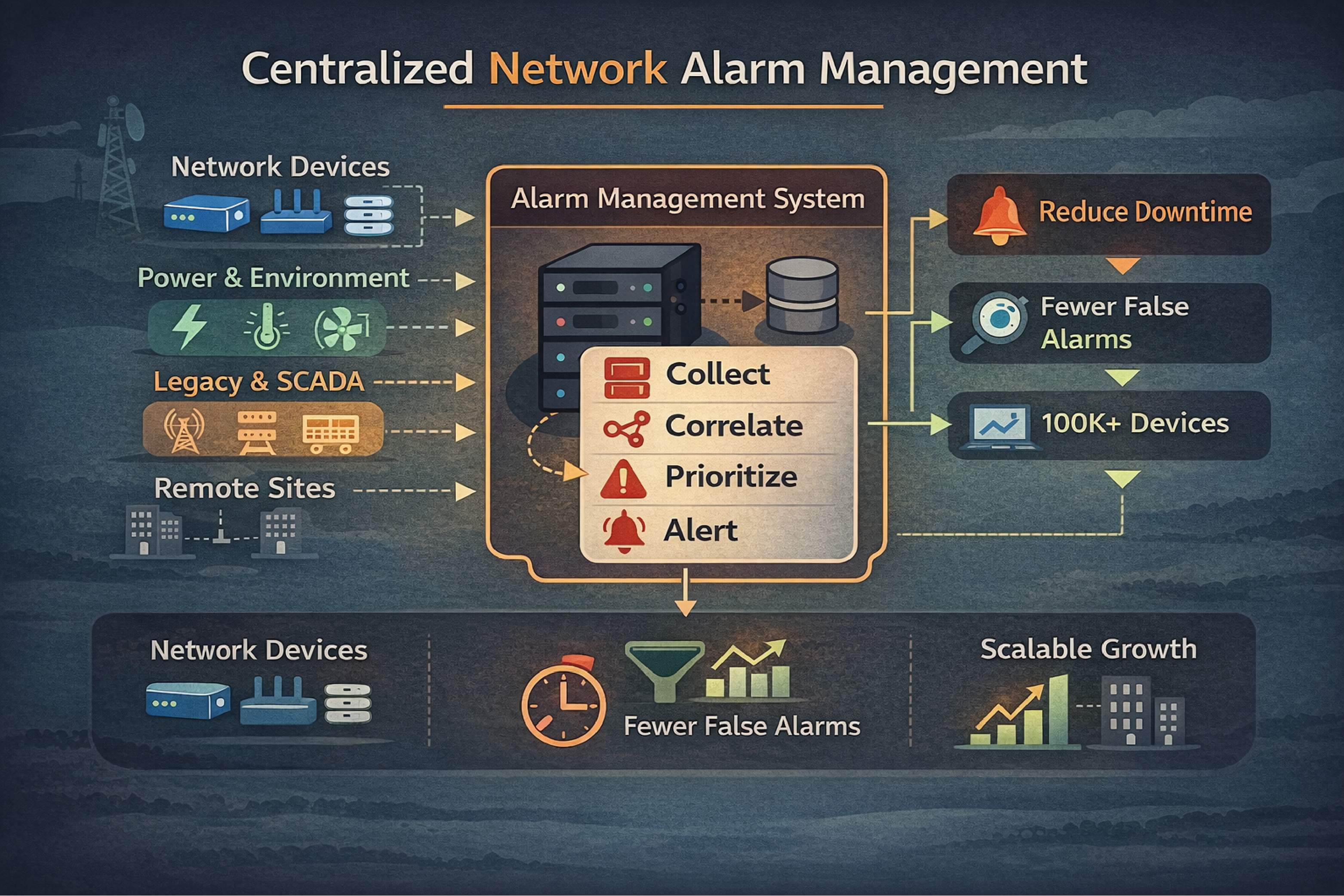
Walk into any telecom NOC and you'll see the same thing. Thousands of alarms rolling in daily from routers, switches, generators, HVAC systems, and that old SONET equipment you've been meaning to replace for five years.
Without centralized management, your team juggles multiple screens. Critical events get missed. Hours vanish while someone manually correlates related alarms to find the actual problem.
Here's what poor visibility costs different industries per hour of downtime:
| Industry | Cost Per Hour | What Breaks |
|---|---|---|
| Data Centers | $300,000 to $540,000 | Service interruptions, data loss |
| Healthcare | $600,000+ | Patient safety systems |
| Manufacturing | $260,000 | Production line stoppage |
| Telecom Operations | $150,000 to $400,000 | SLA violations, customer churn |
Source: Ponemon Institute cost of downtime research
Beyond the immediate revenue loss, bad alarm management erodes operational efficiency. Your technicians stop trusting the system after the hundredth false alarm. Your NOC operators miss genuine emergencies. Your executives have no visibility into network health trends.
After working with hundreds of telecom deployments, I can tell you exactly what separates systems that work from systems that frustrate everyone.
This is where most evaluations go wrong.
Your network accumulated equipment over decades. You've got SONET gear from the 90s sitting next to brand-new IP switches. Your remote monitoring system needs to talk to all of it.
Look for these protocols:
I see this mistake constantly. A team watches a great demo with their new equipment, buys the software, then discovers it can't poll their remote sites with older gear. Now they're stuck either upgrading hardware they can't afford to replace or running multiple monitoring systems forever.
Basic alarm collection won't cut it. You need correlation logic.
Here's a real example: When a fiber backbone fails, it triggers alarms from every downstream circuit. A NOC operator suddenly sees 2,000 red indicators for what's fundamentally one problem. That's not monitoring, that's panic.
Quality software identifies the root cause and automatically suppresses the cascade. What you need:
Many alarm management tools are just Windows applications running on standard PCs. Think about that for a second. Your most critical monitoring system runs on the least reliable platform in your network.
Industrial-grade alarm management systems use dedicated hardware with stable operating systems like Red Hat Linux. They support DC power inputs common in telecom sites. They operate in temperature extremes without needing precision cooling.
When your monitoring system crashes, you're flying blind. That's not acceptable.
Your alarm management system should handle growth for 5-10 years minimum.
Ask these questions:
Buying something that's "just big enough" for today forces an expensive platform migration within 2-3 years. I've watched multiple organizations do this. It's painful every time.
Your alarm management software doesn't exist in isolation.
It needs to play nice with:
The market basically splits into three camps:
| Approach | Best For | What to Watch Out For |
|---|---|---|
| Software-Only | Corporate IT environments monitoring servers and IP devices | May struggle with legacy telecom protocols; needs stable server infrastructure |
| Hardware-Based | Multi-site telecom networks with mixed equipment generations | Higher upfront cost; more complex initial setup; built for harsh environments |
| Cloud-Based SaaS | Small operations with simple monitoring needs | Limited protocol support; depends on internet connectivity; data sovereignty concerns |
Software-only solutions excel at enterprise IT monitoring. They map network topology, analyze NetFlow data, integrate with virtualization platforms. But they typically can't handle telecommunications-specific protocols like TL1 or proprietary RTU formats.
Hardware-based platforms are purpose-built for telecom's physical layer. Our T/Mon platform, for example, supports over 25 different protocols. It mediates between legacy devices and modern SNMP-based management systems. This matters when you're managing decades of accumulated equipment.
Protocol compatibility creates the difference between monitoring your entire network and having blind spots.
Telecom SCADA monitoring requires coverage across these categories:
| Protocol Type | Examples | What Uses Them |
|---|---|---|
| Modern IT | SNMP v1/v2c/v3 | Routers, switches, UPS systems, servers |
| Telecommunications | TL1, ASCII, TBOS, TABS | SONET equipment, microwave radios, PBX systems |
| Industrial SCADA | Modbus, DNP3, Modbus TCP | Generators, fuel tanks, HVAC, environmental sensors |
| Legacy Proprietary | Badger, Larse, Pulsecom, Cordell | Older remote telemetry units |
Here's the scenario: Your field sites use TL1 devices. Your enterprise NOC standardized on an SNMP-based system. Without mediation capability, you're stuck running parallel monitoring infrastructures forever.
We built T/Mon to act as a protocol translator. It receives TL1 alarms from field gear, converts them to SNMP traps, and forwards them to your enterprise management platform. You eliminate specialized consoles while maintaining visibility of all equipment.
Many telecommunications devices output detailed status via ASCII text streams from craft ports or printer connections. Standard monitoring tools see these as opaque "summary alarms" without useful specifics.
Advanced platforms parse these ASCII streams to extract the actual fault messages. This helps technicians make informed decisions instead of wasting time.
Instead of dispatching someone for a generic "equipment alarm," they know it's specifically "Fan 2 RPM below threshold." They bring the correct replacement part on the first trip.
Alert fatigue kills monitoring systems. When operators ignore notifications due to excessive volume, you've failed regardless of how much you spent on software.
When a DS3 fiber link fails, every T1 circuit and network port downstream generates its own alarm. A NOC operator sees 2,000 red indicators for one problem.
Quality software identifies the root cause and automatically suppresses dependent alarms. We call this "Root Alarm" functionality in T/Mon.
The operator sees one critical alarm for the DS3 failure. Not thousands of meaningless secondary alerts. Once you fix the root cause, the suppressed alarms clear automatically without individual acknowledgment.
Single-point monitoring misses problems that only appear when multiple conditions combine.
Real scenario: A remote site has commercial power and a backup generator.
This logic prevents false escalations while ensuring genuine emergencies get immediate attention.
Temperature sensors fluctuate between 67°F and 73°F throughout the day. If you alert on every degree change, operators learn to ignore temperature alarms. That's dangerous.
Threshold filtering only triggers alerts when values move outside acceptable ranges. Set temperature alerts for below 60°F or above 85°F.
The system logs all values for trend analysis. It only interrupts operators for actionable conditions.
Use these to separate real capability from marketing claims:
Look for support of 15+ protocols including legacy telecommunications formats. Get a specific list with version numbers. If they're vague about this, walk away.
Don't just take their word for it. Ask vendors to show how their system receives a TL1 alarm and converts it to an SNMP trap in real time. This proves the capability exists.
Get specific numbers. A system claiming "unlimited" capacity is less credible than one specifying "1,000,000 alarm points with current hardware configuration."
Ask about upgrade paths too.
Your primary monitoring server and backup should be in different cities to survive regional disasters.
Ask how long failover takes. Ask whether alarm history is preserved during failover. These details matter.
Request case studies or references from similar telecom deployments. We typically see clients achieve 25% faster MTTR after implementing T/Mon because of better alarm context and automated initial response.
For cloud-based systems, understand how local sites report alarms if WAN links are down.
Hardware-based systems with local processing continue monitoring and queue alarms for later delivery. That's the reliable approach.
Determine update frequency, testing processes, and whether updates require downtime. Mission-critical monitoring systems need update paths that don't create vulnerability windows.
After three decades of deployments, I've watched these same evaluation errors repeat:
Prioritizing initial cost over total cost of ownership: Cheap software that requires expensive consultants for every configuration change quickly exceeds the price of capable platforms. Calculate 5-year TCO including training, customization, and support. Understanding the true SCADA system price helps with this analysis.
Ignoring protocol requirements for legacy equipment: Demos always focus on monitoring new equipment. Verify compatibility with your oldest, most remote sites before you commit.
Underestimating future growth: Network infrastructure tends to grow 30-50% over five years. Buying capacity for current needs forces a platform migration within 2-3 years.
Selecting based on features rather than reliability: An alarm master with excellent features that crashes weekly is worse than a basic system with perfect uptime. Evaluate vendor track records and warranty terms.
Overlooking staff training requirements: Complex systems with powerful features go unused if staff can't master them. We offer factory training because even excellent software requires proper onboarding.
Treating security as an afterthought: Alarm management systems connect to critical infrastructure across your network. Verify support for SNMPv3 encryption, role-based access controls, and audit logging. Unsecured monitoring systems become attack vectors.
Skip the fantasy that you'll just "turn it on" and everything works. Successful implementations follow a structured approach.
Phase 1: Inventory and Assessment (2-4 weeks)
Document every device requiring monitoring. Count discrete alarm inputs, analog sensors, and network devices needing ping monitoring.
This inventory determines your capacity requirements and helps identify protocol gaps before they surprise you.
Phase 2: Pilot Deployment (4-6 weeks)
Start with 10-15 representative locations spanning different equipment types. Don't try to deploy everything at once.
This validates protocol compatibility, tests alarm routing, and identifies configuration challenges before full rollout.
Many vendors, including DPS Telecom, offer trial periods for this phase. Our 30-day money-back guarantee lets organizations verify performance in their actual environment before full commitment.
Phase 3: Phased Rollout (3-6 months)
Expand monitoring region by region. This staged approach prevents overwhelming your NOC team. It allows refinement of alert thresholds and escalation procedures based on real operational experience.
Phase 4: Optimization and Training (Ongoing)
Continuously tune alert thresholds to eliminate false positives. Review alarm response times monthly. Provide refresher training as staff turnover occurs.
While alarm management software provides centralization and intelligence, remote telemetry units (RTUs) serve as the field sensors and data collectors feeding information to your master station.
RTUs monitor discrete alarm contacts, analog sensors, and environmental conditions at remote sites. They convert this information into protocol messages your alarm management system understands.
For multi-site telecom operations, RTUs extend monitoring reach to locations where running enterprise software isn't practical.
Modern RTUs like our NetGuardian product family support multiple protocols. They report to your chosen alarm management platform while also providing local alarming and control capabilities. This creates resilient monitoring that continues functioning even during network interruptions.
Network alarm management software becomes your NOC's operational foundation. Choose platforms that grow with your network. Choose systems that integrate with diverse equipment. Choose solutions that provide intelligence to turn raw alarm data into actionable insights.
Balance immediate technical requirements with long-term strategic goals. A system perfect for today's 50 sites may fail at 200 sites. A platform that excels at monitoring new IP equipment may be blind to legacy gear.
We designed T/Mon specifically for telecommunications challenges. Its support for 25+ protocols, hardware reliability, and alarm intelligence features address the real-world complexities of multi-site telecom operations.
But regardless of which platform you select, ensure it meets the core requirements: protocol flexibility, scalability, alarm intelligence, and reliability above everything else.
If you're evaluating alarm management platforms and want to discuss your specific situation, give me a call for a technical consultation.
I'll review your network architecture with you. We'll determine whether T/Mon fits your requirements. If it doesn't, I'll tell you that too.
Call me at 1-800-693-0351 or send me a message. Let's talk about what you're trying to accomplish.

Andrew Erickson
Andrew Erickson is an Application Engineer at DPS Telecom, a manufacturer of semi-custom remote alarm monitoring systems based in Fresno, California. Andrew brings more than 19 years of experience building site monitoring solutions, developing intuitive user interfaces and documentation, and opt...


