
Check out our White Paper Series!
A complete library of helpful advice and survival guides for every aspect of system monitoring and control.
1-800-693-0351
Have a specific question? Ask our team of expert engineers and get a specific answer!
Sign up for the next DPS Factory Training!

Whether you're new to our equipment or you've used it for years, DPS factory training is the best way to get more from your monitoring.
Reserve Your Seat TodayChoosing the right temperature sensor for a small equipment room comes down to four decisions: analog or discrete, the right temperature range, the right output signal, and an RTU that can accept the readings without overspending on capacity you don't need.
At DPS Telecom, we've helped more than 1,500 organizations build remote site management systems for server closets, small telecom huts, and IT rooms, and the pattern is consistent: simple analog sensors with a standard air-temperature range, paired with a right-sized RTU, get installed quickly and protect your gear far better than elaborate setups that drag on for months.
This guide focuses on the small end of the equipment-room spectrum. If you're monitoring a server closet in a corporate building, an IT room with a few racks, or a small telecom shelter, you don't need the sensor density of a hyperscale data center. You need a setup that works, gets installed this week, and reports cleanly to your NOC or your inbox.
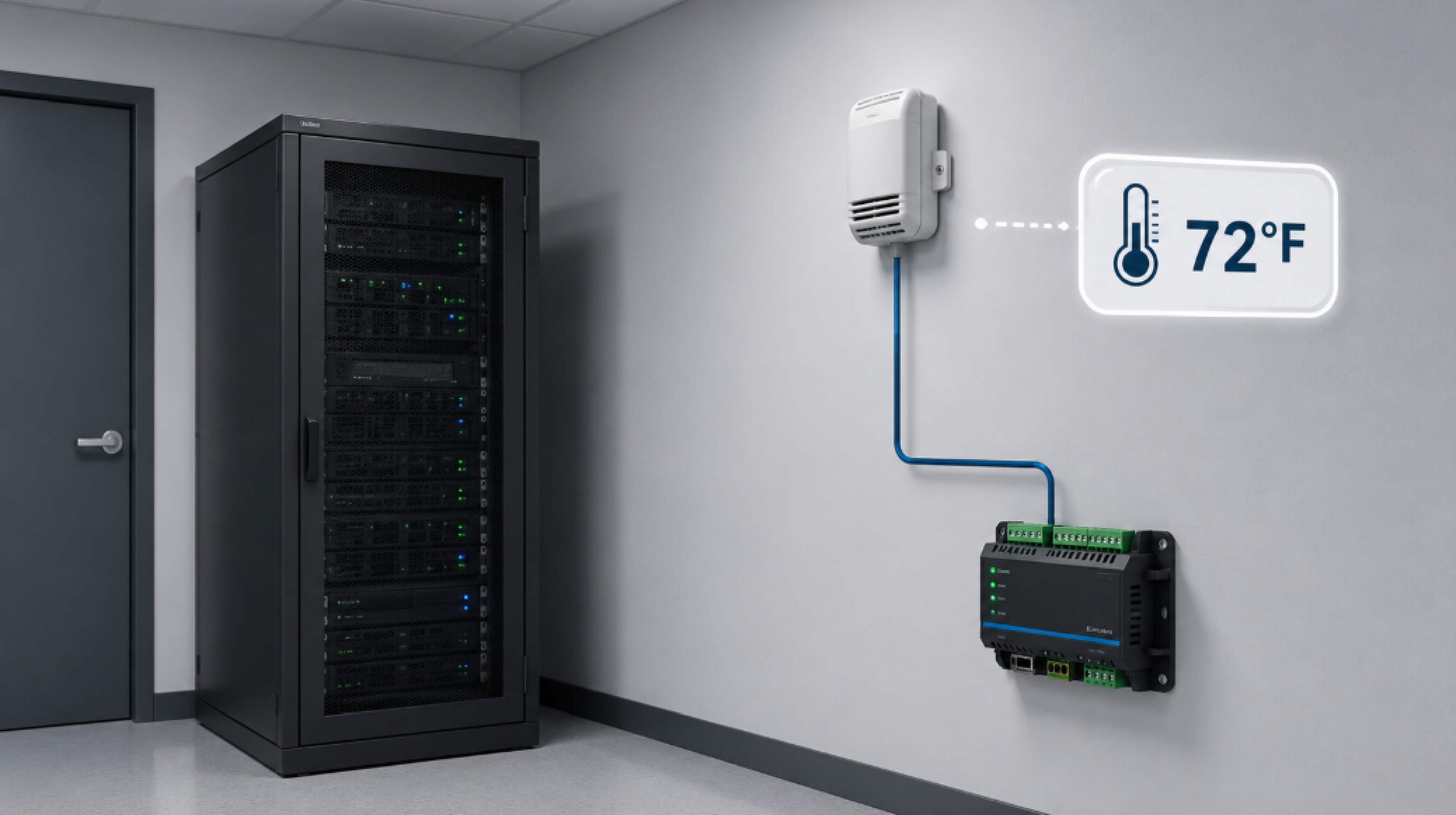
For this guide, an "equipment room" means a small, climate-controlled space with networking and power equipment in it. Common examples:
These spaces typically have one to ten things you'd want to monitor: temperature, humidity, water on the floor, door entry, and maybe airflow off an HVAC vent. They don't need the rack-by-rack instrumentation that a full ASHRAE TC 9.9 data center deployment calls for. Picking sensors for one of these rooms is mostly about avoiding two mistakes: overbuying capability you'll never use, and underbuying granularity that would have caught a problem early.
This is the first real choice, and the answer for almost every modern small-site deployment is analog. Here's why.
A discrete temperature sensor works like a thermostat: it trips a contact closure once the room crosses a pre-set threshold. If you wire it to alarm at 80°F, all you ever know is whether the room is over 80°F or under it. You can't tell whether it's 81°F or 181°F.
An analog temperature sensor outputs an actual reading. The RTU sees 72.4°F right now, 73.1°F a minute later, 84°F an hour later. With that, you can:
Twenty years ago, analog sensors were meaningfully more expensive than discrete ones, and using a thermostat with a contact closure was a reasonable trade. The economics have changed. Analog temperature sensors with 4-20mA or 0-5V outputs are inexpensive now, and the RTUs that read them are the same RTUs you'd use for door contacts and water sensors anyway. There isn't a strong cost reason to settle for less granularity.
| Feature | Discrete (thermostat-style) | Analog (continuous reading) |
|---|---|---|
| What you see | "Over threshold" or "under threshold" | Actual temperature value |
| Multiple thresholds | One per device | Typically four: minor under, major under, minor over, major over |
| Rate-of-change detection | No | Yes |
| Trending over time | No | Yes |
| Typical cost differential | Lower | Slightly higher, but small |
| Best fit | Retrofits where analogs aren't an option | Almost every modern deployment |
For our money, an analog sensor wins for any equipment room you're building from scratch.
The mistake we see most often is that someone buying their first temperature sensor picks one with far more range than they need.
A sensor rated for industrial or kiln temperatures, anything spanning hundreds or thousands of degrees, sounds reassuring. "What if it really gets hot?" The problem is that wide-range is divided across the same fixed output signal (4-20mA or 0-5V), so the granularity per degree is much worse. A sensor that reads 0°F to 200°F gives you about 0.08mA of signal change per degree on a 4-20mA loop. A sensor that reads -100°F to 1600°F gives you about 0.009mA per degree. Your RTU sees the same input either way, just with much coarser temperature resolution on the wide-range part.
For a server closet, IT room, or small telecom hut, a standard air-temperature sensor with roughly a 200°F span (something like -30°F to 170°F or 0°F to 200°F) covers what you need. The room is going to live somewhere between 60°F and 90°F under normal conditions. Anything outside that band is either an HVAC failure, a fire, or a sensor that fell off the wall.
The most common pushback on right-sizing the range sounds like this. What if the actual temperature in the room exceeds the sensor's max? You'd lose visibility into how bad it got.
Our answer is that the visibility wouldn't have changed your response anyway. A sensor capped at 200°F that reads "200°F" tells you the room is on fire. A sensor that can read 350°F and reports "350°F" tells you the room is on fire. Your operational response is identical: it's an emergency, get a technician on site, kill the equipment if you can. You don't dispatch differently to a 350°F reading than to a 200°F reading. The cap-out is itself the actionable alarm, and it costs nothing to act on.
Where the wider-range sensor actually loses you ground is in the normal operating band. A 0°F to 200°F sensor on a 4-20mA loop gives the RTU about 0.08mA per degree, so a 2°F drift is clearly visible. A -100°F to 1600°F sensor gives about 0.009mA per degree, and that same 2°F drift may not even register above the noise floor on the input. You'll catch the catastrophic event either way. You'll only catch the early warning with the right-sized sensor.
Don't overbuy range to avoid a theoretical cap-out. The cap-out doesn't matter. Granularity in your actual operating range does.
There are real applications where wide-range sensors make sense. A generator exhaust temperature sensor needs to read several hundred degrees. A pasteurization tank, an industrial oven, an asphalt heater. Real use cases.
One of the clearest ways to see how this works in practice is a scenario we run into surprisingly often. A hobbyist glass artist also wants to monitor the small server closet at home. The kiln runs at 1600°F during a firing, and a controller failure (stuck heating element, dropped thermocouple) can ruin a piece or, worse, start a fire. The closet, meanwhile, is supposed to sit around 72°F and might climb to 90°F if the AC fails. Both are temperature monitoring problems. They aren't the same problem.
The right answer is two different sensors plugged into the same RTU. A high-temperature thermocouple rated for the kiln's 0°F to 2000°F range goes on the kiln, with thresholds set around the firing profile (alarm if it drops below 1200°F mid-firing, alarm if it climbs above 1800°F). A standard air-temperature sensor on the closet wall, with a 200°F span, gives fine-grained resolution in the 60°F to 100°F band where it actually lives. Trying to use the kiln sensor for the closet would mean watching a meaningless wiggle near the bottom of its range, where each tick on the 4-20mA loop covers many degrees and small changes are invisible.
The principle generalizes. Match the sensor's range to where the equipment actually operates, then alarm on the boundaries of normal. A room that lives at 72°F doesn't need a sensor that can read 1600°F.
If you're going to integrate the sensor with an RTU, the two output signals you want are:
Both are widely supported. Our NetGuardian RTUs accept analog inputs in either mode, with current-loop mode toggleable on the same physical input. Our D-Wire sensor line takes an even simpler approach: digital sensors that daisy-chain on a single RJ-11 cable, draw power from the RTU, and report values directly without wiring each sensor to its own analog input.
If you're shopping outside our ecosystem, look for one of those two output standards. Sensors that use exotic interfaces (proprietary buses, custom controller boards, USB to a PC) tend to lock you into a specific software stack and can be hard to move to a real RTU later. The daisy-chain part is optional. For a single-rack server closet, one D-Wire temperature sensor mounted high on the wall (where heat collects first) plugged into a small RTU is often the entire build. No daisy chain, no second sensor, no rack-by-rack instrumentation. Add more sensors later if the room grows or you find a coverage gap, but don't put off installation waiting for a perfect multi-sensor layout. A single sensor catching an HVAC failure at 2 a.m. is worth far more than a six-sensor design that's still on someone's whiteboard.
This is where small equipment rooms diverge sharply from data center guidance. ASHRAE-aligned data center deployments often recommend roughly six sensors per rack (three on the front capturing intake, three on the rear capturing exhaust). For a 200-rack hot-aisle/cold-aisle hyperscale, that math makes sense.
For a server closet or small equipment room, it's overkill. A more realistic deployment pattern:
Place sensors where the equipment actually breathes. Mounting convenience is secondary. A sensor stuck next to the door reads the hallway. A sensor at ceiling height misses what the rack inlets are seeing. A sensor too close to the HVAC discharge reads the cold supply, not the room.
The other place small-site deployments get expensive is the RTU itself. Buying a 64-input alarm remote when you have eight things to monitor is a waste of money and a waste of rack space.
Reasonable size brackets:
| Site size | Likely sensor and alarm count | RTU sizing |
|---|---|---|
| Server closet, single rack | 1-3 analog, 0-2 discrete | Small RTU (4-8 inputs) |
| Small IT room, 2-4 racks | 2-5 analog, 2-4 discrete (door, water, smoke) | Mid RTU (16-24 inputs) |
| Small telecom hut | 4-8 analog, 8-16 discrete | Mid-to-large RTU (16-32 inputs) |
| Multi-equipment shelter | 8+ analog, 16+ discrete | Large RTU (32+ inputs) |
For the small end of that table, our NetGuardian 216 handles 16 discrete and 2 analog points in a 1RU form factor. For environmentally focused builds, our TempDefender G2 is built specifically for temperature, humidity, and small-site environmental monitoring with daisy-chained D-Wire sensors. Larger deployments scale up to the NetGuardian 832A G6 and beyond.
The model itself matters less than matching capacity to your actual need. If you have four things to monitor, an eight-input RTU is plenty.
In a corporate IT closet running on 110VAC with a UPS, this is mostly a non-issue: power the RTU off the same UPS that backs the switches, and the analog sensors take their bias voltage from the RTU.
In a telecom hut running on a -48VDC plant, the rule is to power both the RTU and the sensors from the plant DC bus, so they keep running through commercial power outages. Sensors powered off a wall-wart on commercial AC will go dark exactly when temperature is climbing fastest (cooling has stopped, equipment is still drawing heat, and you can't see any of it).
Our TempDefender G2 and most NetGuardian RTUs ship with -48VDC, -24VDC, or 110VAC power options, and the analog sensor inputs can include a built-in +12V rail to power most third-party analog sensors directly. One DC feed in, one cable to the sensor, one alarm path out.
One of the biggest factors in whether a small-site temperature monitoring deployment actually works is whether it gets installed. Complicated setups stall: someone has to design the cabling, order parts that ship in two weeks, schedule a site visit, document the wiring. While the project is sitting on someone's desk, the room is unmonitored.
A pragmatic small-site build is usually:
That's a small-site hardware build and an afternoon of installation. Once it's in, you can refine: tighter alarm thresholds, additional sensors, integration with HVAC. Trying to design the perfect setup before installing anything is how rooms end up unmonitored for two years.
Patterns we see often when reviewing client setups:
When you're sitting down to spec a small-site temperature monitoring build, work through:
On that last point, our standard offer to clients is a 30-day money-back guarantee on all DPS gear and a 30-day loaner program where you pay only shipping to test production hardware in your own environment. If our guide on the best temperature monitoring system for remote sites doesn't answer your specific question, our application engineers will walk through the build with you on the phone before you order anything.
For almost any new equipment-room deployment, choose analog. The cost difference is small, and analog sensors give you actual temperature readings, multiple alarm thresholds, and rate-of-change visibility.
A standard air-temperature sensor with roughly a 200°F span (for example, 0°F to 200°F) is enough. Wider ranges sound safer but reduce per-degree resolution, since the same output signal is divided across more total range.
For a single-rack server closet, one analog sensor mounted high in the room is usually enough. For two to four racks, two or three sensors at varied heights and locations cover the typical hot spots.
Look for 4-20mA or 0-5VDC analog outputs. Both are industry-standard and accepted by most RTUs, including the full DPS NetGuardian and TempDefender lines.
Yes, but use a separate sensor matched to that range. A thermocouple rated for the kiln's operating temperature plugs into the same RTU analog input as the room sensor, and you set thresholds appropriate to each.
No. Match the RTU size to your actual input count. A 16-input alarm remote is plenty for most server closets and small IT rooms.
Picking the best temperature sensor for an equipment room doesn't have to be complicated. Pick analog over discrete, choose a sensor range matched to actual operating conditions, use 4-20mA or 0-5V output, and pair it with a right-sized RTU. Install it this week.
If you'd like a second opinion on your specific site, we're happy to walk through it with you. Our engineers have built server room monitoring systems for telecom carriers, hospitals, utilities, and small businesses since 1986, and we've shipped more than 172,000 devices to over 1,500 organizations. We'll help you spec the right RTU and sensors, run a 30-day loaner if you want to test before committing, and back the build with US-based engineering support.
Talk to an Engineer | 800-693-0351

Andrew Erickson
Andrew Erickson is an Application Engineer at DPS Telecom, a manufacturer of semi-custom remote alarm monitoring systems based in Fresno, California. Andrew brings more than 19 years of experience building site monitoring solutions, developing intuitive user interfaces and documentation, and opt...


