
Check out our White Paper Series!
A complete library of helpful advice and survival guides for every aspect of system monitoring and control.
1-800-693-0351
Have a specific question? Ask our team of expert engineers and get a specific answer!
Sign up for the next DPS Factory Training!

Whether you're new to our equipment or you've used it for years, DPS factory training is the best way to get more from your monitoring.
Reserve Your Seat Today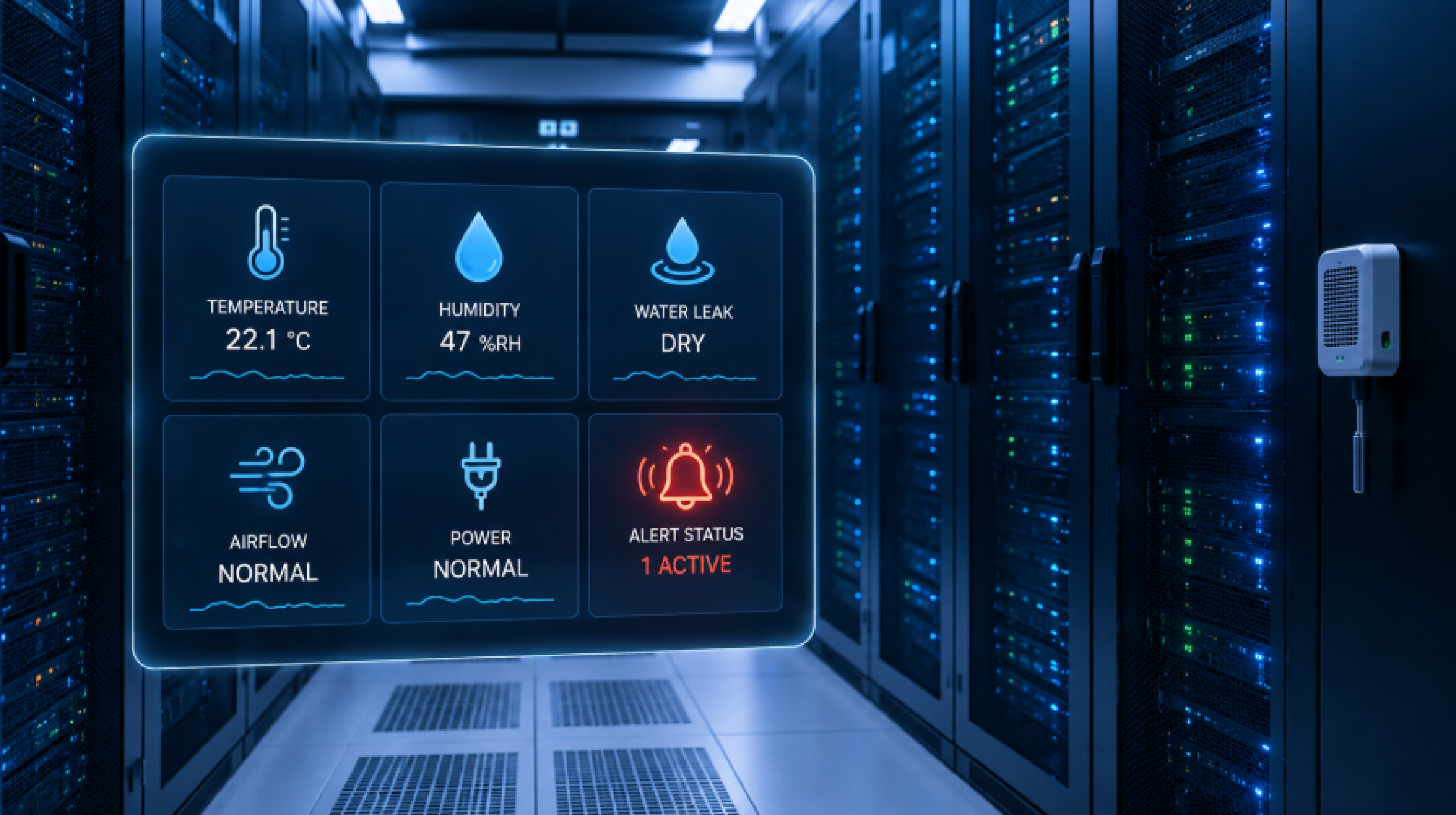
It's 2 a.m. and a cooling unit quits in a room full of running servers. The temperature starts climbing. Whether that turns into a line in a maintenance log or a costly outage comes down to one thing: whether something was watching, and whether it reached the right person in time.
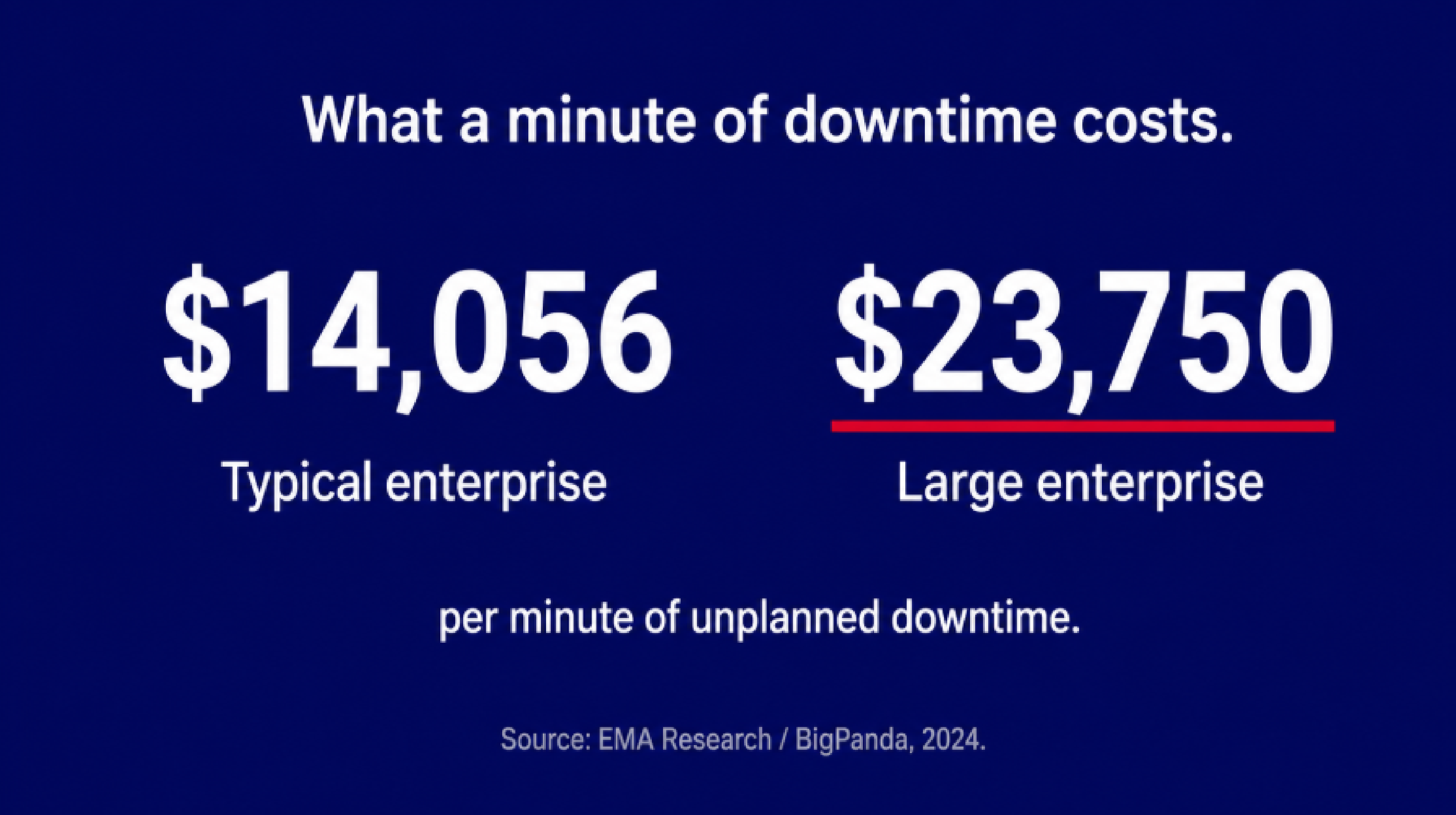
That's the job of an environmental monitoring system, and choosing the right one for a data center comes down to four questions. What conditions do you monitor? How are you alerted? How well does the system fit the infrastructure you already have? And does it scale as you grow? Get those four right and most environmental problems become something you handle on a Tuesday afternoon instead of an emergency. The stakes are real: the average minute of downtime now costs over $14,000 for a typical enterprise, and $23,750 per minute at large organizations.
At DPS Telecom, we've helped more than 1,500 organizations build monitoring for critical infrastructure, including data centers running under strict uptime requirements. What follows is what we've seen hold up, what tends to get overlooked, and how to tell a system that performs under pressure from one that only looks good on a spec sheet.
An environmental monitoring system collects sensor data from across a facility, compares it against thresholds you set, and sends an alert when something drifts out of range. In a data center, that "something" is usually a precursor to hardware failure or an outage.
The chain runs from edge sensors (temperature probes, humidity sensors, water detectors) through a data collection device, a remote terminal unit (RTU), and up to a centralized platform that handles alerting, logging, and visualization.
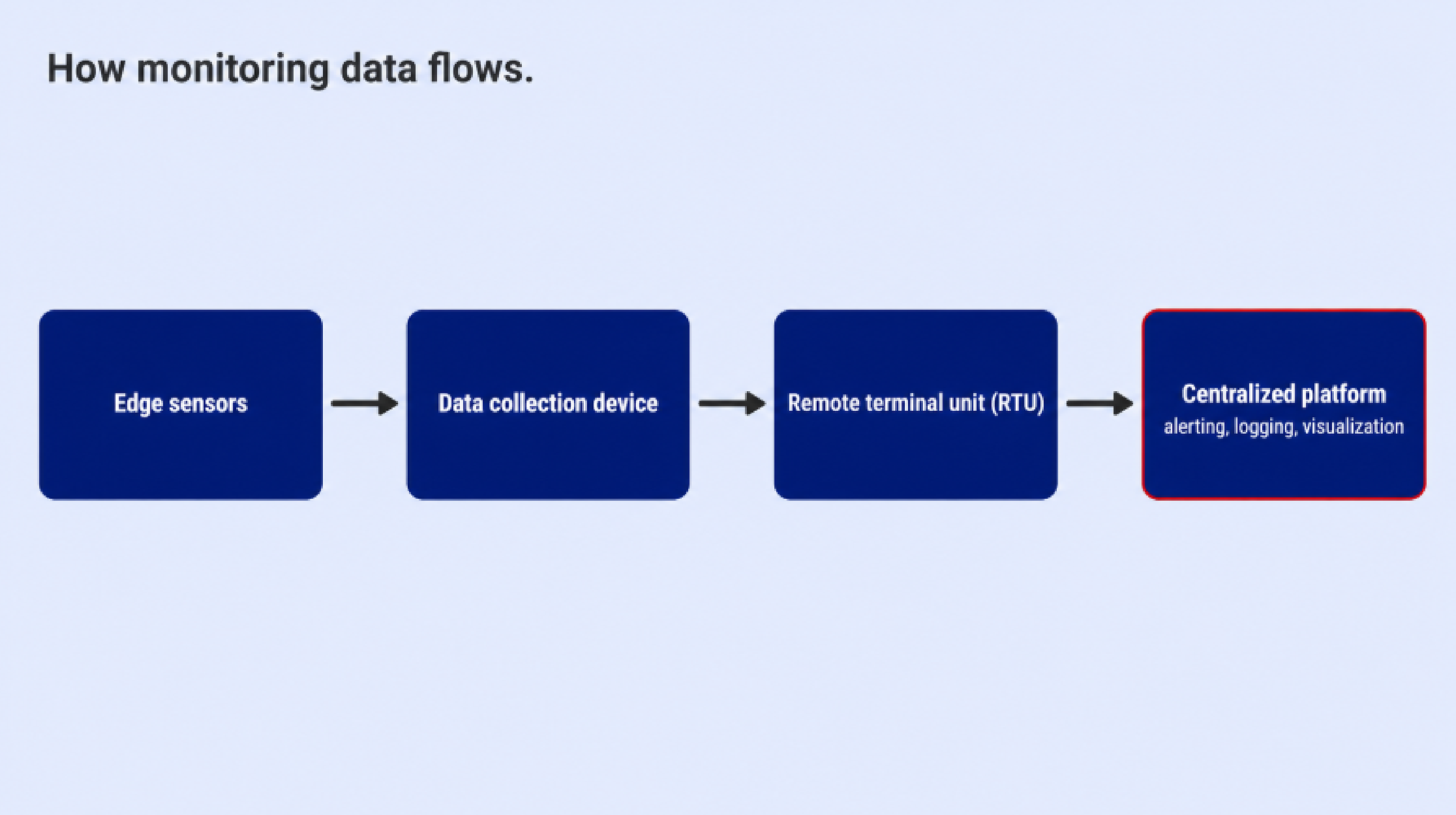
Single-site deployments sometimes skip the centralized layer. Multi-site operations almost always need it.
What separates a serious system from a basic one is how intelligently it handles that chain. Sending a temperature alert is easy. Sending the right alert, to the right person, through a channel that actually reaches them during a 2 a.m. cooling failure, while grouping related alarms so you see the root cause instead of a flood of cascading events, is the hard part. That's the part worth paying attention to when you evaluate.
Most teams start with temperature and add the rest later, usually after something goes wrong. We'd rather you plan for all of it up front. ASHRAE TC 9.9, the Telecommunications Industry Association (TIA) standard TIA-942-C, and operational guidance from the Uptime Institute converge on seven domains worth monitoring in any data center.
Temperature is the most immediate risk. The American Society of Heating, Refrigerating and Air-Conditioning Engineers (ASHRAE) recommends measuring at the server air inlet, roughly two inches in front of the equipment, with sensors at the top, middle, and bottom of each rack.
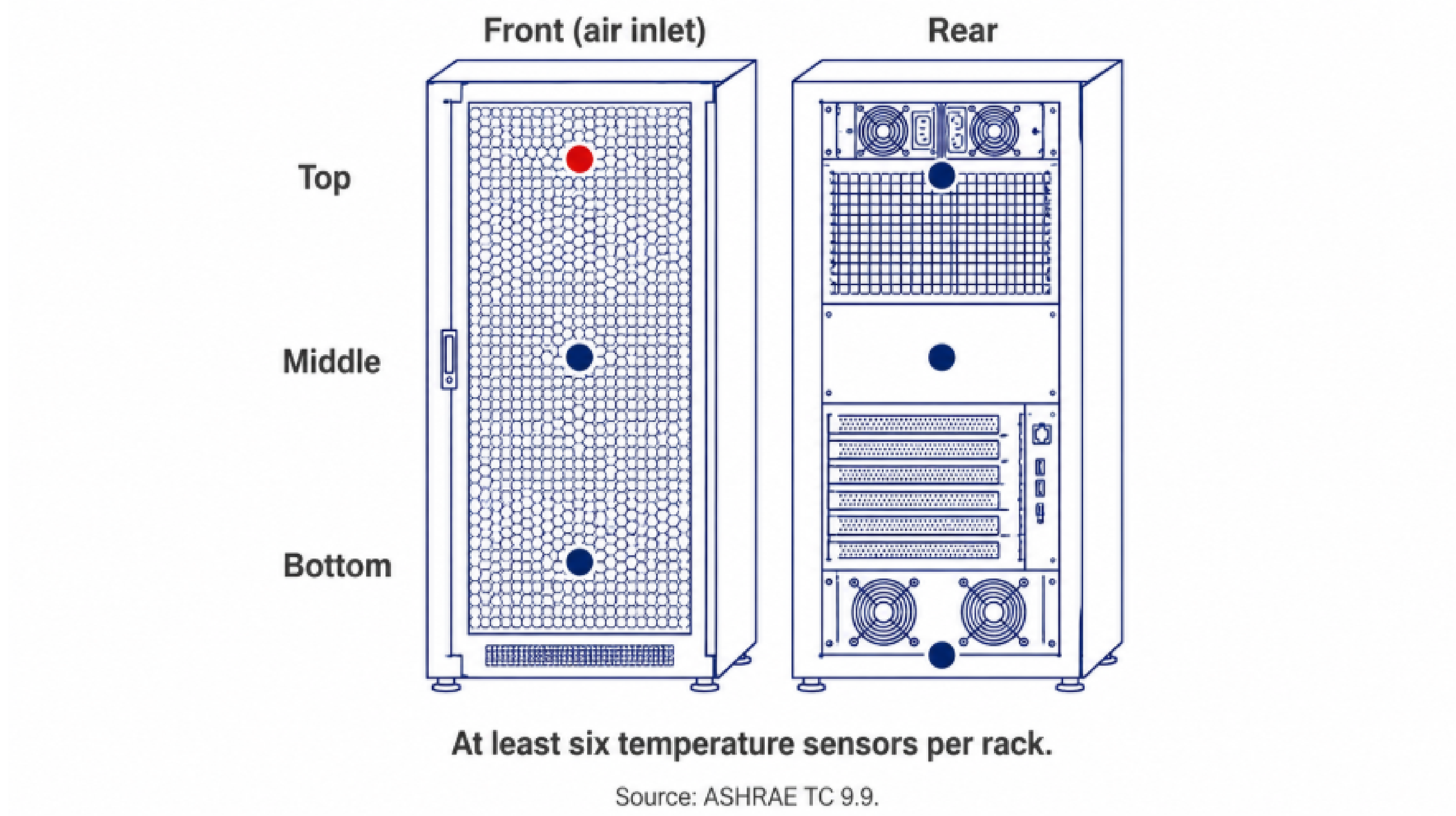
After a cooling failure, server room temperatures can climb fast. A single sensor on the wall tells you almost nothing about what's happening inside a hot cabinet.
Humidity should stay between 40% and 60% relative humidity (RH) under normal conditions. Below 40%, electrostatic discharge becomes a risk. Above 60%, you can get corrosion when airborne pollutants are present. Humidity tends to be fairly uniform across a space, so one accurate reference point per zone is usually enough.
Airflow and differential pressure confirm your containment strategy is working. A drop in differential pressure across a cold aisle typically signals bypass or leakage. This matters most in raised-floor environments or facilities running hot-aisle/cold-aisle containment.
Water and leak detection guards against one of the most destructive and least predictable failure modes. Cable-style sensors and spot detectors belong under raised floors, near computer room air conditioning (CRAC) and computer room air handler (CRAH) units, and in mechanical rooms. A condensation problem, a pipe failure, or a CRAC leak can damage equipment and floor infrastructure in minutes, often with no warning unless detection is already in place. Early detection is the difference between a maintenance call and a disaster.
Smoke and fire detection is governed by National Fire Protection Association (NFPA) 75, which sets minimum fire protection requirements for data centers, with NFPA 76 covering public-network telecommunications facilities. These standards call for smoke detection, sprinkler coverage, and documented evacuation procedures. The OVHcloud Strasbourg fire in March 2021 showed how quickly things can escalate: an electrical fault in a battery room destroyed one facility and damaged another, disrupting services across Europe.
Power remains the leading cause of impactful data center outages according to the Uptime Institute, most often from uninterruptible power supply (UPS) failures. Monitoring voltage, current, power factor, UPS status, and generator operation gives you eyes on the single largest source of downtime risk.
Physical access rounds out the picture. Door contact sensors and access control let you line up environmental events with human activity. When a temperature spike follows an access event, you know to check for a raised-floor panel that wasn't replaced or equipment that got moved without an airflow plan.
ASHRAE TC 9.9 is the primary standards body for data center thermal management, and its recommendations give you the benchmarks for setting alert thresholds.
The recommended operating envelope applies to all equipment classes A1 through A4:
| Parameter | Recommended Range |
|---|---|
| Dry-bulb temperature | 18°C to 27°C (64.4°F to 80.6°F) |
| Dew point | -9°C to 15°C |
| Relative humidity | Maximum 70% RH (50% RH if corrosive pollutants present) |
The allowable envelopes give wider ranges for equipment built for more demanding conditions:
| Class | Temperature Range | Max Dew Point | Max RH | Typical Use |
|---|---|---|---|---|
| A1 | 15-32°C (59-89.6°F) | 17°C | 80% | Enterprise servers, storage |
| A2 | 10-35°C (50-95°F) | 21°C | 80% | Volume servers, storage, PCs |
| A3 | 5-40°C (41-104°F) | 24°C | 85% | Extended temperature equipment |
| A4 | 5-45°C (41-113°F) | 24°C | 90% | Maximum flexibility equipment |
| H1 (Recommended) | 18-22°C (64.4-71.6°F) | 15°C | 70% | High-density AI/high-performance computing (HPC) systems |
Running in the allowable range instead of the recommended range puts more thermal stress on components and drives up server fan energy. The H1 class was added for high-density AI and HPC workloads, where higher power densities call for tighter thermal control.
From those guidelines, a practical alert structure looks like this:
| Alert Level | Temperature Condition | Humidity Condition | Action |
|---|---|---|---|
| Normal | 18-27°C at server inlet | 40-60% RH | No action required |
| Warning (Tier 1) | Above 25°C or below 19°C | Below 40% or above 60% RH | Investigate, check cooling |
| Critical (Tier 2) | Above 27°C (entering allowable range) | Below 30% or above 70% RH | Immediate response, activate contingency |
| Emergency | Above 35°C (throttling begins) | None | Emergency protocols, selective shutdown |
| Shutdown | 40-45°C | None | Automatic equipment shutdown |
Rate of change matters too. ASHRAE specifies that temperature should not move more than 20°C per hour for most IT equipment, and no more than 5°C in any 15-minute window. Tape storage is more sensitive, with a limit of 5°C per hour. A system that only watches absolute thresholds and ignores rate of change can miss a rapidly escalating cooling problem until it's already critical.
The gap between a basic sensor deployment and an enterprise-grade system goes well past feature lists. It shows up during incidents, scaling decisions, and integration projects. The table below lays out the key differences across Simple Network Management Protocol (SNMP) support, Data Center Infrastructure Management (DCIM), Building Management System (BMS), and IT Service Management (ITSM) integration, among other areas.
| Capability | Basic/Entry-Level | Enterprise-Grade |
|---|---|---|
| Architecture | Standalone, single-site | Networked, multi-site with hierarchical views |
| Alerting | Email only, fixed thresholds | Multi-channel with escalation, dwell time, and hysteresis |
| SNMP | v1/v2c only | v1, v2c, and v3 with full security model |
| Integration | Siloed, no application programming interface (API) | DCIM/BMS/ITSM integration via SNMP, Modbus, or BACnet (Building Automation and Control Network) |
| Data retention | Limited logging | Time-series historian with trend analysis |
| Redundancy | Single communication path | Out-of-band alerts, local edge buffering, store-and-forward |
| Protocol support | SNMP only | 10+ protocols including proprietary serial formats |
| Automation | Manual response | Derived alarms, root-cause filtering, auto-ticket creation |
The baseline for enterprise alerting is simultaneous delivery across several channels: SNMP traps, email, Short Message Service (SMS), voice calls, and relay outputs.
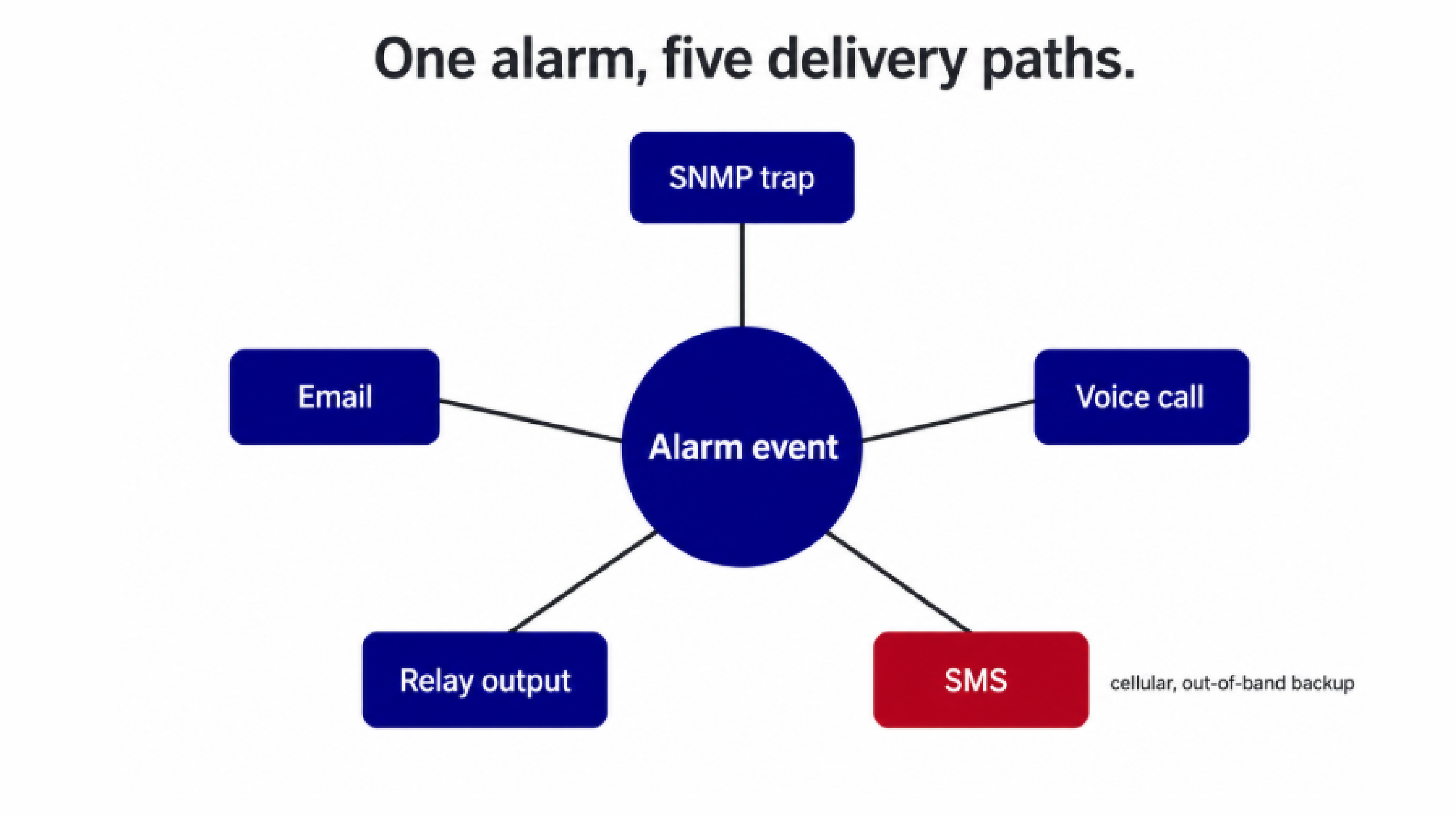
Network-dependent channels can fail during exactly the incidents you care about most, so a system that leans only on email or SNMP traps has a blind spot when the network itself is affected.
Escalation logic matters just as much. The system should be able to reach different people based on the type of alarm, route alerts by time of day, and require acknowledgment before it escalates. That's standard in a well-run operations center, and it shouldn't take custom scripting to set up.
Alert fatigue is a real risk. Rig a system with rigid static thresholds and your team can get thousands of alerts a day, which means the one that matters gets lost in the pile. Dwell time (requiring a condition to persist before it triggers) and hysteresis (using different set and clear thresholds) cut nuisance alerts sharply without dulling sensitivity to real problems.
SNMP is still the most widely supported protocol for infrastructure monitoring. An enterprise-grade system should support all three versions: v1 and v2c for older equipment, and v3 where you need authentication and encrypted transport. SNMPv3 carries more overhead than v2c because of that security processing, so pick the version that matches the environment rather than defaulting to the newest one everywhere.
Compatibility with common third-party SNMP platforms is a baseline expectation, and Management Information Base (MIB) files for every monitored device should be available and well documented. Our NetGuardian RTUs report to any standards-compliant SNMP manager, and we publish downloadable MIBs for all of our devices.
Most data centers run equipment that spans several generations. Older gear often speaks proprietary serial protocols that modern SNMP managers can't read. Protocol gateways can bridge those formats (Modbus RTU, Distributed Network Protocol 3 (DNP3), and others) to Ethernet, but only if your platform supports protocol mediation natively.
This is where we see the widest gap between how operators describe their requirements during vendor selection and what they actually need once the system is live. A platform that handles only SNMP forces a rip-and-replace decision every time older equipment enters scope. A platform with native multi-protocol support lets that equipment stay put.
Our T/Mon LNX alarm management platform supports 25+ inbound protocols, including Transaction Language 1 (TL1), Modbus, DNP3, and a range of proprietary formats that still turn up in working networks. The point is to avoid expensive, disruptive hardware swaps when functioning equipment simply speaks an older language.
A system that works fine for one server room may not hold up across a distributed operation. Before you commit, confirm it can grow from a single location to a networked architecture spanning dozens or hundreds of sites, and that adding capacity doesn't mean replacing the edge hardware you already deployed.
The monitoring infrastructure itself shouldn't become a single point of failure. Sites should have out-of-band alert paths, usually cellular backup, so alarms still get out when the primary connection is down. Edge buffering at remote sites preserves alarm history through wide area network (WAN) interruptions, so events aren't lost and can be reconciled once connectivity returns.
Monitoring only at the room level. One sensor on the ceiling tells you almost nothing about conditions at the server inlet. Hotspots form at individual cabinets. ASHRAE recommends no fewer than six temperature sensors per rack for a reason.
Choosing on upfront price alone. Total cost of ownership includes licensing, support contracts, expansion, and the engineering time to keep the system running. A cheap sensor platform with no protocol support and limited scalability often costs more over five years than a well-designed system from a vendor that sticks around.
Ignoring older equipment. Previous-generation gear makes up a meaningful share of many data centers. A platform that can't talk to it leaves gaps in coverage. Check for native Modbus, TL1, DNP3, and relevant proprietary support before you assume translation won't be an issue.
Underestimating alarm fatigue. A system firing hundreds of low-quality alerts a day trains people to ignore all of them. Set dwell times, hysteresis, and escalation policies before go-live, and build in a threshold review during the first 90 days.
Not planning for outage-time alerting. Alerting over the primary network fails when the network is part of the incident. Treat cellular backup paths and local edge alarming as standard for critical sites, not as an afterthought.
Vendor lock-in at the sensor level. Proprietary connectors that only work with one vendor's RTUs create ongoing cost and dependency. Systems that accept industry-standard 0-5VDC or 4-20mA analog inputs from third-party sensors keep you flexible as technology and requirements change. Our D-Wire sensor line uses standard RJ-12 connectors and CAT5e cabling, sensors daisy-chain up to 600 feet with no separate power supplies, and the RTUs also accept third-party analog sensors.
Most vendors look similar on the basics. The differences show up in protocol support for older equipment, in scalability, and in what happens when you need something that isn't in the standard catalog.
| Evaluation Criterion | What to Look For |
|---|---|
| SNMP support | v1, v2c, and v3 with downloadable MIBs |
| Alerting channels | SNMP traps, email, SMS, voice calls, and relay outputs simultaneously |
| Protocol support for older equipment | Modbus, TL1, DNP3, and relevant proprietary formats |
| Sensor types | Temperature, humidity, water, airflow, power, smoke, and door access |
| Scalability | Modular expansion from single-site to multi-site without replacing edge hardware |
| Dashboard | Real-time, web-based, no installed software required |
| Redundancy | Dual network paths, out-of-band cellular backup, store-and-forward during WAN outages |
| Customization | Build-to-order specifications with no non-recurring engineering (NRE) fees at minimum order quantities |
| Support | Engineer-level support, not a call center, with training available |
| Equipment lifespan | Hardware designed for 20+ year operational life |
| Total cost of ownership | Upfront cost plus support, licensing, and expansion over a 5-10 year horizon |
If you're evaluating data center platforms specifically, the protocol-support and scalability rows tend to be the most revealing. Most vendors look alike on SNMP and alerting. They diverge on almost everything else.
ASHRAE TC 9.9 recommends a dry-bulb range of 18°C to 27°C (64.4°F to 80.6°F) at the server air inlet for all A1 through A4 equipment classes. Operating above 27°C enters the allowable range, which raises hardware failure rates and server fan energy use.
ASHRAE recommends at least six per rack: top, middle, and bottom on both the front and back. Sensors in the cold aisle, roughly every fourth rack at five feet, supplement per-cabinet coverage.
At minimum, SNMP v1, v2c, and v3 for management platform integration, plus Modbus for power and heating, ventilation, and air conditioning (HVAC) equipment. Sites with older gear may also need TL1, DNP3, or other proprietary formats, so check the list against your installed base.
DCIM platforms focus on capacity planning, asset management, and power density analytics. RTU-based monitoring focuses on real-time alarm collection, alerting, and environmental sensing at the device level. They complement each other: RTUs gather edge data, a master station consolidates alarms, and DCIM ties that data into broader operational context.
Yes, as long as the platform supports protocol mediation. A master station with native support for 25+ protocols can take input from older serial equipment and modern SNMP devices at the same time, which avoids replacing functioning gear that simply speaks a different protocol.
If you're specifying a new system or replacing an aging one, start by auditing what's already in your environment: what equipment you have, what protocols it speaks, and where your alerting has gaps. A platform decision made without that inventory tends to lead to scope creep and surprise integration costs once deployment starts.
We've been designing and building monitoring for critical infrastructure since 1986, and we're happy to walk through your specific environment with you, map where you stand, and help you figure out what you actually need. Tell us what you're trying to accomplish and we'll take it from there.
Talk to an Engineer | 800-693-0351

Andrew Erickson
Andrew Erickson is an Application Engineer at DPS Telecom, a manufacturer of semi-custom remote alarm monitoring systems based in Fresno, California. Andrew brings more than 19 years of experience building site monitoring solutions, developing intuitive user interfaces and documentation, and opt...


