
Check out our White Paper Series!
A complete library of helpful advice and survival guides for every aspect of system monitoring and control.
1-800-693-0351
Have a specific question? Ask our team of expert engineers and get a specific answer!
Sign up for the next DPS Factory Training!

Whether you're new to our equipment or you've used it for years, DPS factory training is the best way to get more from your monitoring.
Reserve Your Seat TodayThe best environmental monitoring solution for an unmanned site is one that tracks all relevant conditions (temperature, humidity, water, power, security), sends automated alerts in real time, integrates with your central management system, and is built to survive the same harsh conditions as your remote equipment.
At DPS Telecom, we've spent over 37 years helping clients design remote site monitoring systems for telecom towers, power substations, railway shelters, and public safety radio huts. Through that work, we've seen what separates a monitoring system that actually prevents outages from one that just checks a compliance box. This guide covers everything you need to evaluate before choosing a solution, whether you end up working with us or not.
The stakes are real. According to a 2024 outage trends analysis, over half of major IT and telecom outages cost more than $100,000 in damages and downtime. About 16% exceed $1 million. Most of these events trace back to environmental problems that could have been caught earlier with proper monitoring.
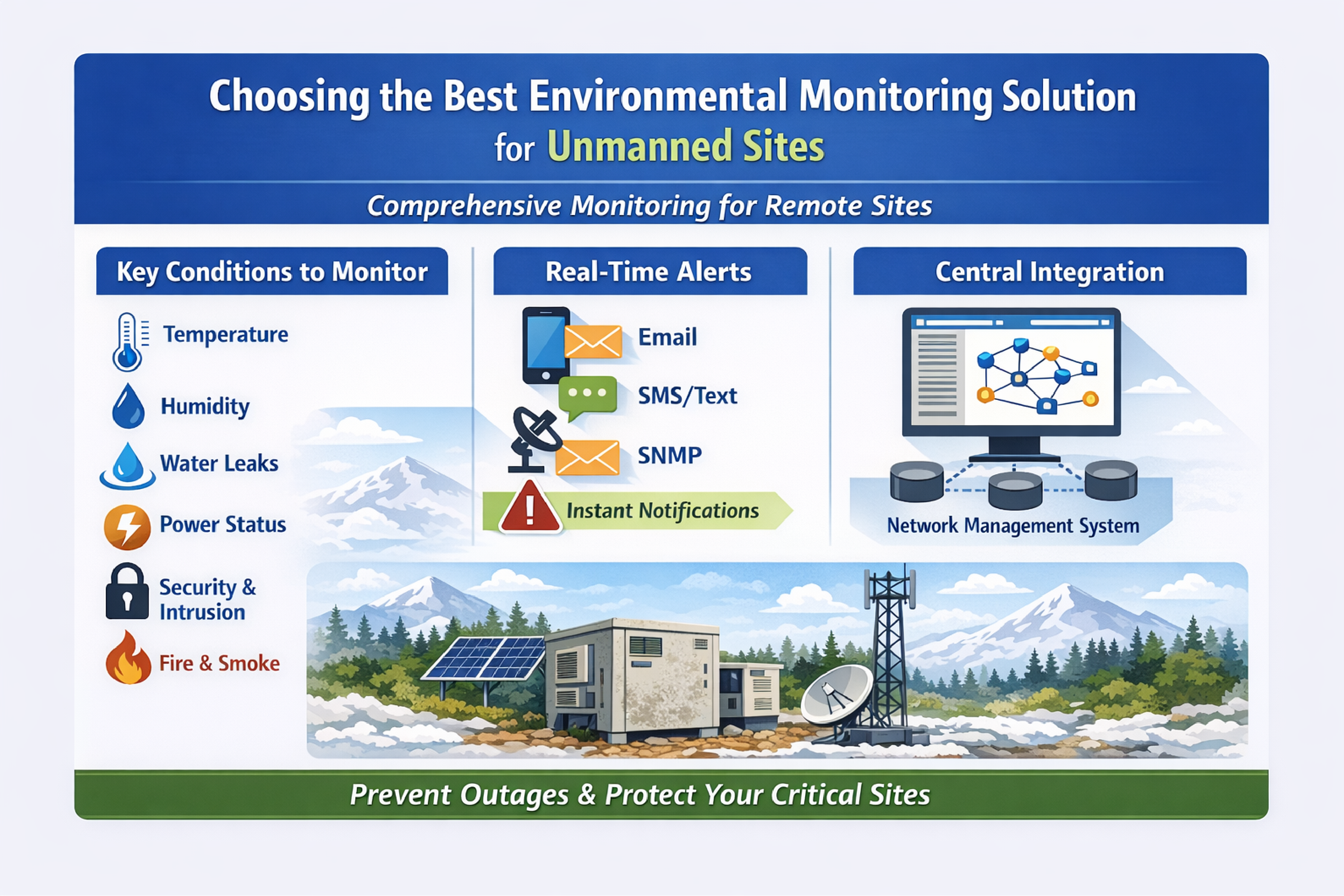
Before comparing products, start by listing every condition that could take down your site. A monitoring system that only covers temperature is leaving major gaps. You need full visibility.
Here are the most common threats at unmanned locations:
Your monitoring system should give you complete visibility into all environmental conditions at the site, not just one or two.
Sensors are only part of the equation. The system's ability to communicate, scale, and integrate with your operations matters just as much. Here are seven factors to evaluate when comparing solutions.
Look for a system that supports all the sensor types you need in a single integrated unit. That means both analog inputs (for continuous readings like temperature and humidity) and discrete digital inputs (for on/off events like door contacts and water detection).
Analog sensors are preferred for measurements like temperature and humidity because they provide real-time, granular data. An analog input gives you the exact temperature within roughly 1 degree C at any time, not just a yes/no alert when a threshold is exceeded. Analog inputs also let you set multiple alarm thresholds for each sensor. You might configure a "minor high-temp" alert at 85 degrees F and a "major high-temp" alarm at 95 degrees F, giving your team time to respond before conditions become critical.
A well-equipped remote telemetry unit (RTU) will typically support a mix of inputs. For example, the NetGuardian 832A supports 8 analog inputs and 32 discrete alarm points, enough to cover a full range of environmental and equipment signals at most sites. Make sure whatever unit you choose also supports standard sensor interfaces (0 to 5V, 4 to 20mA, or dry contacts) so you can attach third-party sensors if needed.
A monitoring system is only useful if it notifies the right people at the right time. When a threshold is exceeded or a device fails, the system should send automated alerts immediately, without requiring someone to be watching a screen.
Common notification methods include email, SMS text messages, SNMP traps, and voice dialer calls. At minimum, your system should support email and text alerts. Enterprise-grade RTUs typically support multiple notification methods simultaneously. For example, an RTU can send SNMP traps to a central network operations center while also texting the on-call technician directly.
The notification system should also be flexible. You may want critical alarms (like a power failure) to page the on-call technician around the clock, while minor alerts (like a humidity warning) go to a team email distribution list during business hours. Alarm escalation is another feature worth looking for. If an alarm isn't acknowledged within a set number of minutes, it automatically escalates to a higher-level contact.
Environmental monitoring works best when it feeds into a central alarm management system or NOC dashboard, not when it operates as a standalone silo.
Most RTUs forward alarms to a central master station using protocols like SNMP. Verify that the unit you're evaluating can communicate with your existing network management platform using whatever protocols you run (SNMP v2/v3, Modbus, MQTT, etc.). If you don't currently have a central alarm master, consider choosing a vendor that offers master station software as part of a complete solution. A single-vendor system for both remote hardware and central software can simplify deployment, reduce support complexity, and give you a consistent interface across all sites.
The best systems also act as protocol mediators. They collect alarms from various devices, including equipment from different manufacturers, and output a unified alert stream. This lets you consolidate environmental alarms and equipment alarms into one view. Our T/Mon master station, for example, currently supports over 30 protocols for exactly this reason.
Yes, but only if the platform was designed for it. Consider the scale of your deployment, both now and in the future. A system that works well for five sites may not hold up at 200.
Scalability has two dimensions. First, the individual unit needs enough input capacity for your largest sites. Some RTUs handle 4 to 8 sensors, while others support 64 or more alarm points. Second, the platform needs centralized management tools so you're not logging into each device individually to check status.
A good multi-site solution allows all alarms to report to a central master station or cloud platform. You can then monitor, acknowledge, and analyze alarms for every site from one interface. As your footprint grows, features like alarm grouping, site geolocation on maps, and user permission levels become valuable.
Pay attention to licensing and capacity limits. Can the master station handle your projected growth? One of our clients started with 100 remote sites and was already growing, so they needed a system that could scale well beyond that initial deployment. If you anticipate managing hundreds of sites, make sure the solution was purpose-built for large networks.
Very. Remote site monitors face the same harsh conditions as the equipment they protect. Unlike office IT gear, a monitoring device at an outdoor or unmanned site may experience extreme temperatures, electrical surges, vibration, and moisture.
Look for industrial-grade hardware with an operating temperature range that covers your climate (for example, -20 degrees C to 70 degrees C for outdoor cabinets), built-in surge protection on inputs, and conformal coating for humidity resistance. Rugged design is a major differentiator among monitoring solutions. Purpose-built hardware handles power spikes, brownouts, and environmental extremes without failing.
Power supply compatibility matters too. Telecom sites often run on -48 VDC power plants, while other facilities may only have 120 VAC. Make sure the monitoring unit supports your site's power input. Many telecom-focused RTUs can run on -48 VDC, dual-feed DC, or AC power. Ideally, the unit ties into the site battery plant so it continues operating during an AC failure and keeps sending alarms.
The monitoring hardware should not become another point of failure. Investing in quality upfront pays off the first time you avoid a missed alarm during a crisis.
It should be. A system that's too complex to configure or maintain can undermine your monitoring goals. Evaluate the installation and day-to-day experience before committing.
Key questions to ask:
The interface should present clear, plain-language alerts (like "Room Temp High, Site A") and allow easy adjustment of threshold values and notification settings. An overly complicated or disjointed setup can lead to missed alarms and slow response times. User-friendliness directly impacts reliability.
A proven track record, responsive technical support, willingness to customize, and long-term commitment to the product. The solution provider matters as much as the hardware. A vendor with deep experience in remote site monitoring for your industry will understand the challenges of unmanned sites and design a system that actually addresses them.
Here's what to look for:
Choosing a vendor is choosing a long-term partner. Many of our clients have been with us for 20 or more years. That kind of relationship only works when the vendor is invested in your success.
To clarify the difference between a simple standalone monitor and a comprehensive integrated solution, here's a side-by-side comparison.
| Feature | Basic Standalone Monitor | Advanced Integrated Solution |
|---|---|---|
| Sensor coverage | Often limited to temperature and maybe humidity. Few input channels. | Monitors temperature, humidity, water, power, security, and more. Supports multiple analog and discrete inputs. |
| Sensor precision | Typically uses built-in threshold sensors (on/off). May lack analog inputs. | Analog inputs provide readings within ~1 degree and support multiple alarm thresholds (minor/major) per sensor. |
| Alert methods | Usually email-only. May depend on a cloud service. | SNMP traps to NOC, email, SMS, and voice dial-out. Customizable escalation and 24/7 alerting. |
| Central monitoring | No centralized console. Each device checked separately. | All alarms aggregate to a central master station. One screen, one interface for every site. |
| Integration | Limited. May send SNMP traps but cannot mediate between protocols. | Supports SNMP v3, Modbus, and more. Consolidates environmental and equipment alarms into a unified stream. |
| Scalability | Intended for single-site or a few locations. | Designed for hundreds of sites. RTUs available in different sizes, all reporting to the same central platform. |
| Ruggedness | Commercial or IT-grade. Designed for server rooms. AC or PoE power only. | Industrial-grade: wide temp range, surge protection, -48 VDC telecom power support. Operates through outages. |
| Customization | Fixed features only. | Vendor can tailor alarm capacities, sensor types, or firmware. Expandable sensor modules available. |
| Vendor support | Minimal (email or forums). | Engineering guidance, factory training, responsive support, and long-term firmware updates. |
A basic monitor may work for a single small site or a lab environment. For mission-critical unmanned infrastructure, an integrated solution ensures nothing goes unmonitored and that you're alerted to any developing problem immediately.
Start by listing your sites, the conditions you need to monitor at each, and how those alarms should integrate with your existing operations. This inventory becomes your requirements checklist.
From there, engage with vendors early. A capable provider can walk through your specific scenario and recommend an architecture that fits your network. We've found that the best outcomes come from conversations that start with questions about your sites, power sources, and alarm priorities, not with a product pitch.
Here's a practical starting framework:
If you'd like to talk through your specific monitoring needs, our application engineers are available for a no-obligation consultation. Call 1-800-622-3314 or reach out to our team to start the conversation.

Andrew Erickson
Andrew Erickson is an Application Engineer at DPS Telecom, a manufacturer of semi-custom remote alarm monitoring systems based in Fresno, California. Andrew brings more than 19 years of experience building site monitoring solutions, developing intuitive user interfaces and documentation, and opt...


