
Check out our White Paper Series!
A complete library of helpful advice and survival guides for every aspect of system monitoring and control.
1-800-693-0351
Have a specific question? Ask our team of expert engineers and get a specific answer!
Sign up for the next DPS Factory Training!

Whether you're new to our equipment or you've used it for years, DPS factory training is the best way to get more from your monitoring.
Reserve Your Seat Today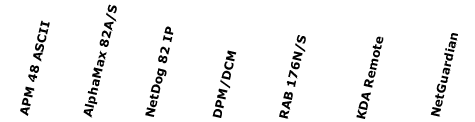 | |||||||
| Discrete Alarms (contact closures, Digital Inputs) | 8 | 8 | 8 | 2-16 | 176 | 64-256 | 16-176 |
| Analog Inputs | 8-16 | 2-8 | |||||
| Controls (Relays) | 4 | 2 | 2 | 2-16 | 4 | 8-128 | 4-32 |
| Ping Targets | 32 | 16-32 | |||||
| Serial Reach Through Ports | 1 | 1 | 1 | 4-8 | 2-8 | ||
| Web Browser Interface |  | | |||||
| Offline Windows Provisioning Software | | | | | | | |
| TTY Interface | | | |||||
| IP-Based | | | | ||||
| Dial-up Alt. path reporting | | | | | | | |
| Audio/Visual local notification | | | | | | | |
| Pager notification | | | | | | | |
| E-mail notification | | ||||||
| Derived Controls | | | |||||
| A/B power feed support | | ||||||
| Built in 12/24 VDC power supply for analog sensors | | ||||||
Protocols supported: | ASCII, TAP, TRIP | ASCII, TAP, TRIP | DCP, SNMP, TAP | DCP, TBOS, TL1, TRIP | DCP, E2A, SNMP, TBOS, TL1 | DCP, E2, E2A, SNMP, TAP, TBOS, TL1, TRIP | DCP, POP3, SMTP, SNMP, TAP, PPP |
| History log | | ||||||
| Building Access System integration | | | |||||
| SiteCAM surveillance System integration | | ||||||
Your network has unique monitoring needs that won't be met by a standardized RTU with a inflexible and limited capabilities. Some of your sites may need heavy discrete alarm coverage. At other sites, you may need to monitor electrical and environmental inputs with live analog values. Or you may need to ping IP devices to verify they're operational and online.
There's also some other considerations when selecting RTUs - protocol support, transport interface, control relays, and capacity.
No matter what monitoring tasks you need to perform, DPS Telecom supplies the tools to do the job right. We offer a wide selection of RTUs, each designed to meet your specific monitoring needs with a perfect fit solution. It's easy to find an RTU that's a perfect match for your network.
DPS Telecom can help you determine your total monitoring needs. Based on our experience creating thousands of monitoring applications for real-world remote sites, our application engineers will develop a comprehensive solution for your network using our detailed, step-by-step site survey. If you want help determining your site needs, please give us a call at 1-800-693-0351.


