
Check out our White Paper Series!
A complete library of helpful advice and survival guides for every aspect of system monitoring and control.
1-800-693-0351
Have a specific question? Ask our team of expert engineers and get a specific answer!
Sign up for the next DPS Factory Training!

Whether you're new to our equipment or you've used it for years, DPS factory training is the best way to get more from your monitoring.
Reserve Your Seat Today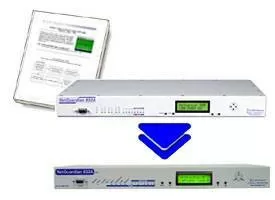
Thinking of upgrading your NetGuardian 832A G2's to a superset model? As you may already know, the NetGuardian 832A G2 is at its manufacturing end-of-life. Technical support and maintenance will remain available, but what about your upcoming deployments?
You can't just trash your G2 alarm databases. You've invested a lot of hours databasing your remotes, and it would be a waste to do it again. Fortunately, you don't have to.
NGEdit, the Windows utility you use to database your NetGuardian remotes, has a new G2 database conversion utility.
The new conversion utility makes migrating to the G4/G5 platforms a breeze. "We've made it extremely easy to convert your database over to the NetGuardian G4 or G5 platforms," said Chris Hower, DPS Telecom Support Engineer. "The pinouts are all the same for the alarms, analogs, controls and power supply."
There are several reasons you might replace a G2 with a G4 or G5. You might be inserting a spare unit. You could be turning up a new site and using a database template to automate the process. At some point, you might decide that it makes sense to replace all of your remaining G2 units with their modern equivalents to create uniformity.
By using NGEdit, all you have to do is save your existing database and convert it using the built-in utility. "Just move your cables over to the new remote and, with the push of a button, you've upgraded," Hower said. "There's no new configuration necessary."
Give us a call today at 1-800-693-0351 to learn just how simple it is to convert your NetGuardian 832A G2 database. Want to know exactly how it's done? Read this Techno Knowledge Paper in MyDPS entitled "Migrate from NetGuardian G2 to NetGuardian G4/G5".


